What do I do first in Bridger Sales Academy?
Sign in, open Learning, and start with whatever your manager put in front of you — a path under My paths, or a practice session under Sales stages.
Sign in to your workspace, click Learning, and start with what is already waiting for you: a path your manager assigned under My paths, or a short practice session under Sales stages. Bridger Sales Academy has no setup for a rep to do — everything you see was put there by your team's Learning manager.
How do I get into Sales Academy?
- Sign in with the 6-digit code from your invite email. If you have not signed in before, How do I sign in? walks through it.
- Click Learning in the sidebar. On a phone, open More in the bar along the bottom of the screen.
- You land on Practice, the home of Sales Academy. If nothing has been published or assigned to you yet, you land on My Learning instead, which says Nothing assigned yet until your manager gives you a path.
If there is no Learning item in your sidebar at all, your workspace either does not have Sales Academy turned on or you have not been given a learner seat yet. I can't see Learning explains which, and who can fix it.
What is on the Practice page?
The page has two views, switched at the top:
| View | What it holds |
|---|---|
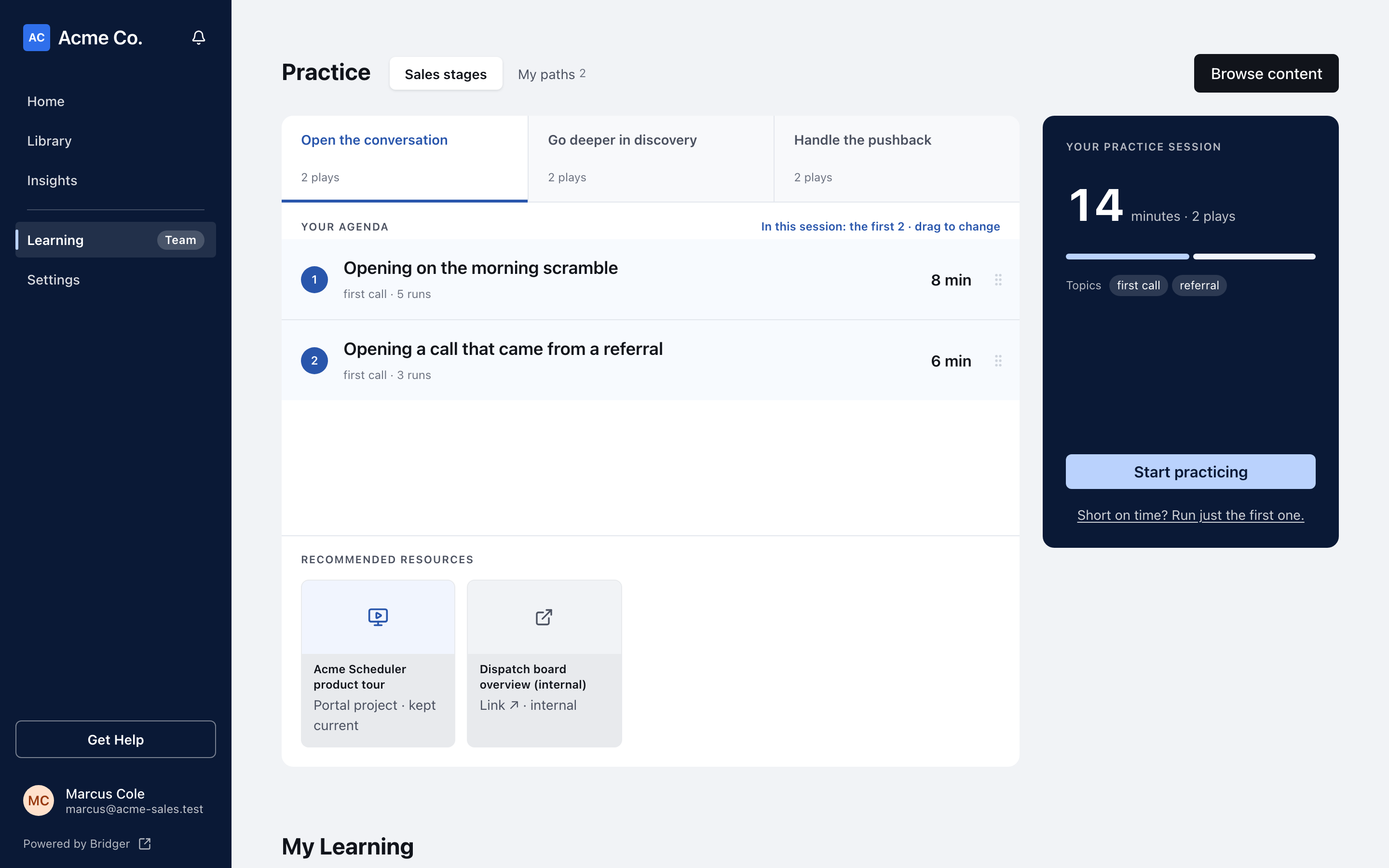
| Sales stages | Every published play, grouped by where you are in a deal. Pick a stage and the plays in it become your agenda. |
| My paths | The paths assigned to you, like onboarding, a new product or a certification, each with your progress. Finished paths stay here so you can come back to them. |
The switch only appears once your team has published plays. Below the practice area, My Learning lists the same assigned paths as cards, each with Not started, In progress or Completed and how many steps you have done.
Two more things can appear at the top of the page:
- A Coaching from … card, marked New, when a manager has replied to a take you sent them. Click Open to read it. See How do I ask a manager for coaching?.
- Browse content, which opens the published plays, the buyers in them and your team's customer stories in one place.
Where should I start?
If you have a path, start there. Paths are the sequence your manager wants you to work through. Switch to My paths, pick the path, and click Continue path. How do I work through a learning path? covers the rest.
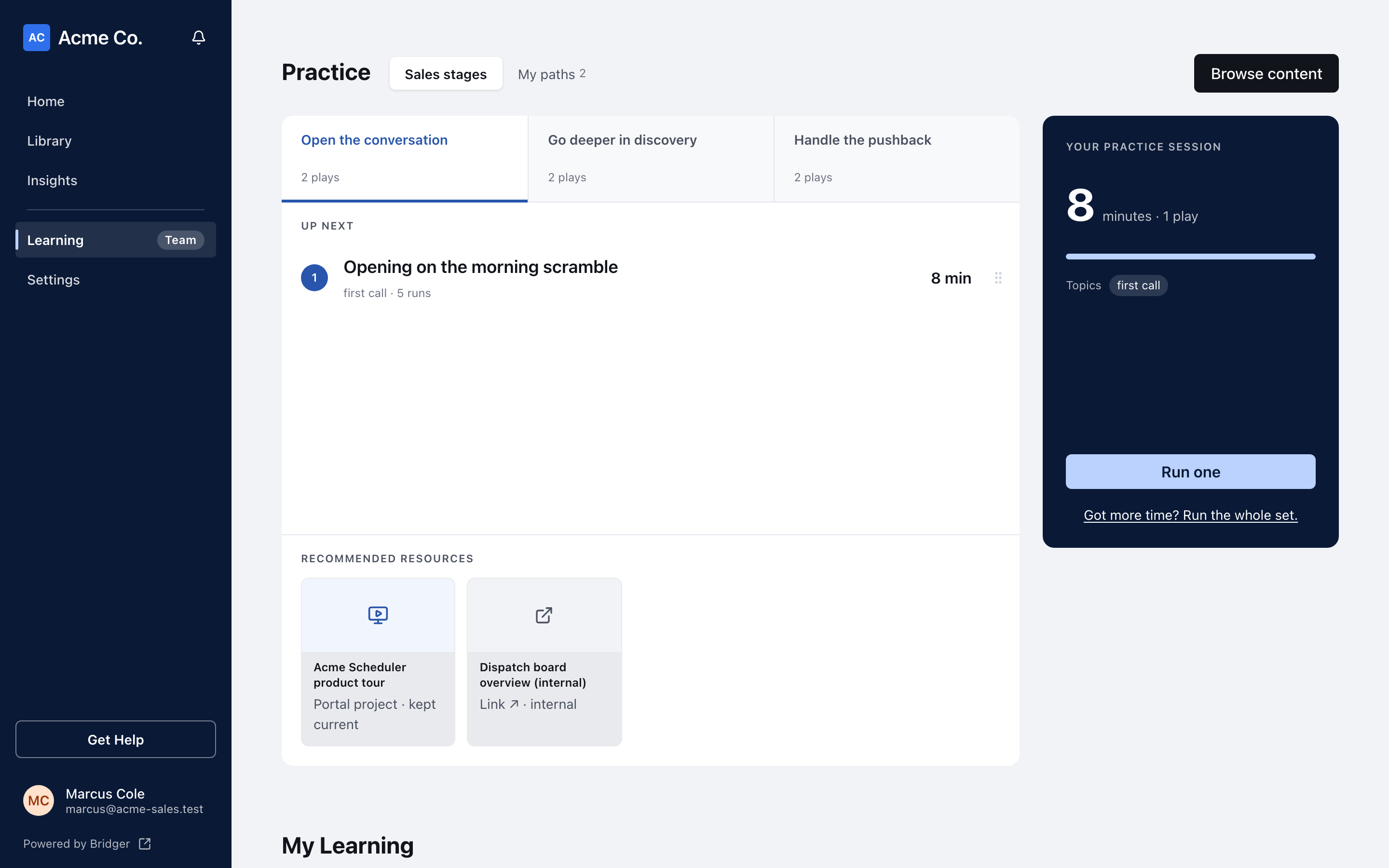
If you only have plays, start a practice session. On Sales stages, pick a stage and click Start practicing, which runs the first three plays on your agenda. Short on time? Click Short on time? Run just the first one. and the button becomes Run one. How does a practice play work? explains what happens next.
What comes after that?
The usual journey, in order:
- Work through a path and see how each step is marked complete.
- Run practice plays and grade yourself.
- Ask a manager for coaching on a take you want a second opinion on.
- Answer the checkpoints on your path.
- Get certified, if your path offers it.
This did not answer your question? Email hello@bridgercreative.com.