How do I ask a manager for coaching on a practice take?
Record a take, pick Keeper or Not yet on Review, and click Ask for coaching. One manager hears it, grades it fresh, and you compare grades.
Record yourself while you answer a play, then on Review pick Keeper or Not yet and click Ask for coaching. Choose a manager, say what you want help with, and click Send. They listen to the take, grade it against the play's checks without seeing your grade, and send coaching back. A coaching request cannot be taken back once it is sent.
What do I need before I can ask?
- A recorded take of this play. Press Start recording on the Answer out loud step. If this run was not recorded but you recorded the same play earlier on this device, the button sends that earlier take instead and says so under it: This run wasn’t recorded: it sends your last take, with the take's length. With no take of the play at all, Review says Record a take to ask for coaching on it.
- Keeper or Not yet chosen on Review. The button appears under whichever you pick. Not yet is a good time to ask: a coach helps most where you are stuck.
- Someone to ask. Coaches are your workspace's Learning managers who have signed in, other than you. What are Learning managers and learner seats? explains who they are. If there is nobody, Review says Takes can go to a Learning manager for coaching from here, but there is nobody to send this one to yet.
How do I send a take?
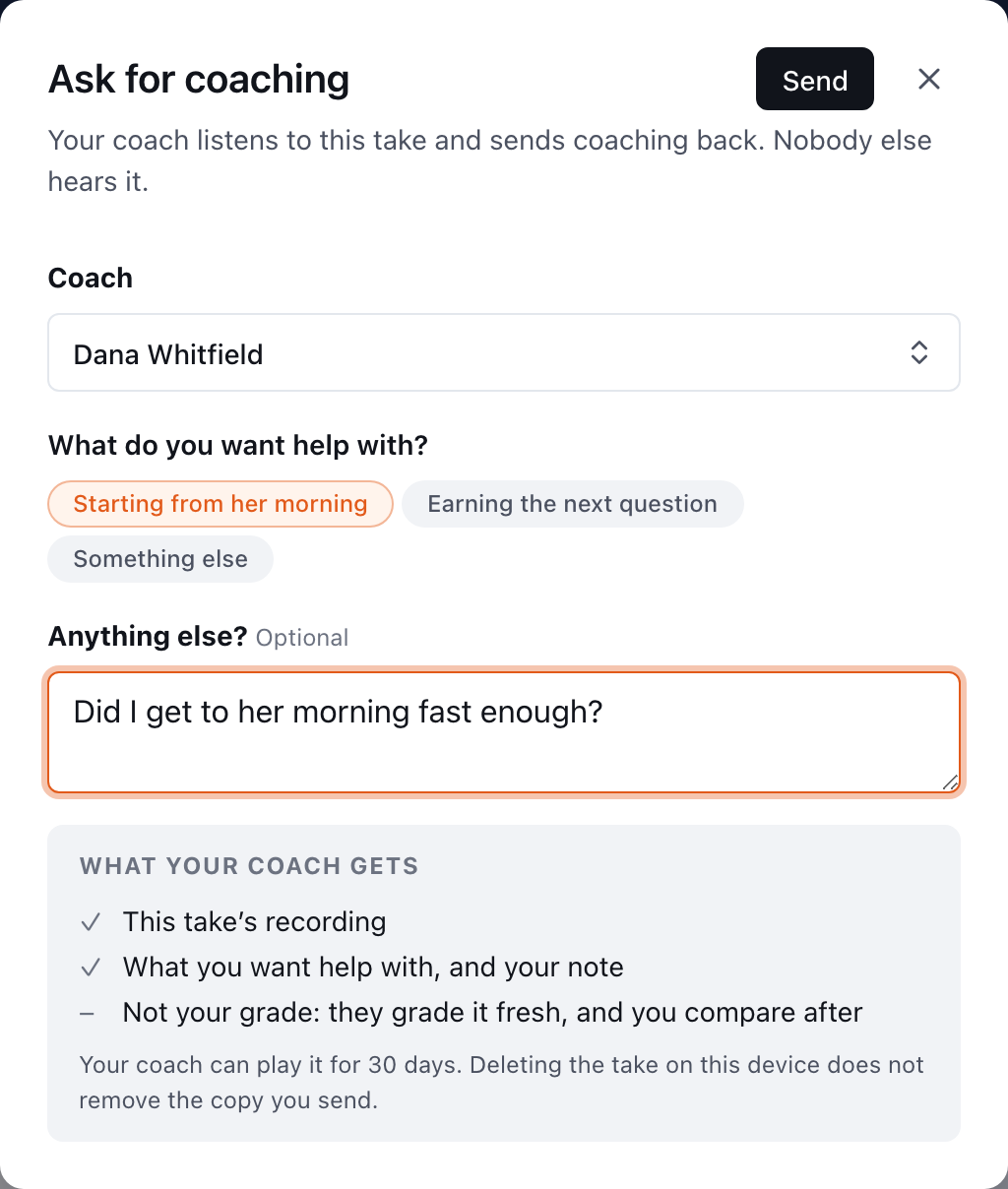
- On Review, pick Keeper or Not yet, then click Ask for coaching.
- Under Coach, choose who should hear it.
- Under What do you want help with?, pick one of the play's checks, or Something else. It is optional.
- Add a note under Anything else? if it helps. Also optional.
- Read What your coach gets at the bottom of the dialog, then click Send in the dialog's title row.
When it has gone, Review says Sent to Jordan Lee. You’ll hear back by email.
What does the coach get?
Exactly what the dialog lists:
| Sent | Not sent |
|---|---|
| This take's recording | Your grade: the checks you ticked |
| What you want help with, and your note | Your other takes |
The coach is emailed that you asked, if their coaching emails are on. They grade each of the play's checks as Heard it, Partly or Missed, and can add One thing to change. As the dialog puts it, they can play it for 30 days; after that its audio is deleted.
If your workspace posts Learning activity to a team channel, the channel hears that you asked and which play. It never gets the recording, your note or what you asked for help with.
How do I see the coaching when it comes back?
You get an email, as long as Practice coaching is on under your notification settings (Choosing which emails you get). Either way, the coaching shows up in Sales Academy:
- On the Practice page, a card reads Coaching from … with New. Click Open.
- The next time you run the same play, its first step shows the coach's note from last time, with See the whole review →.
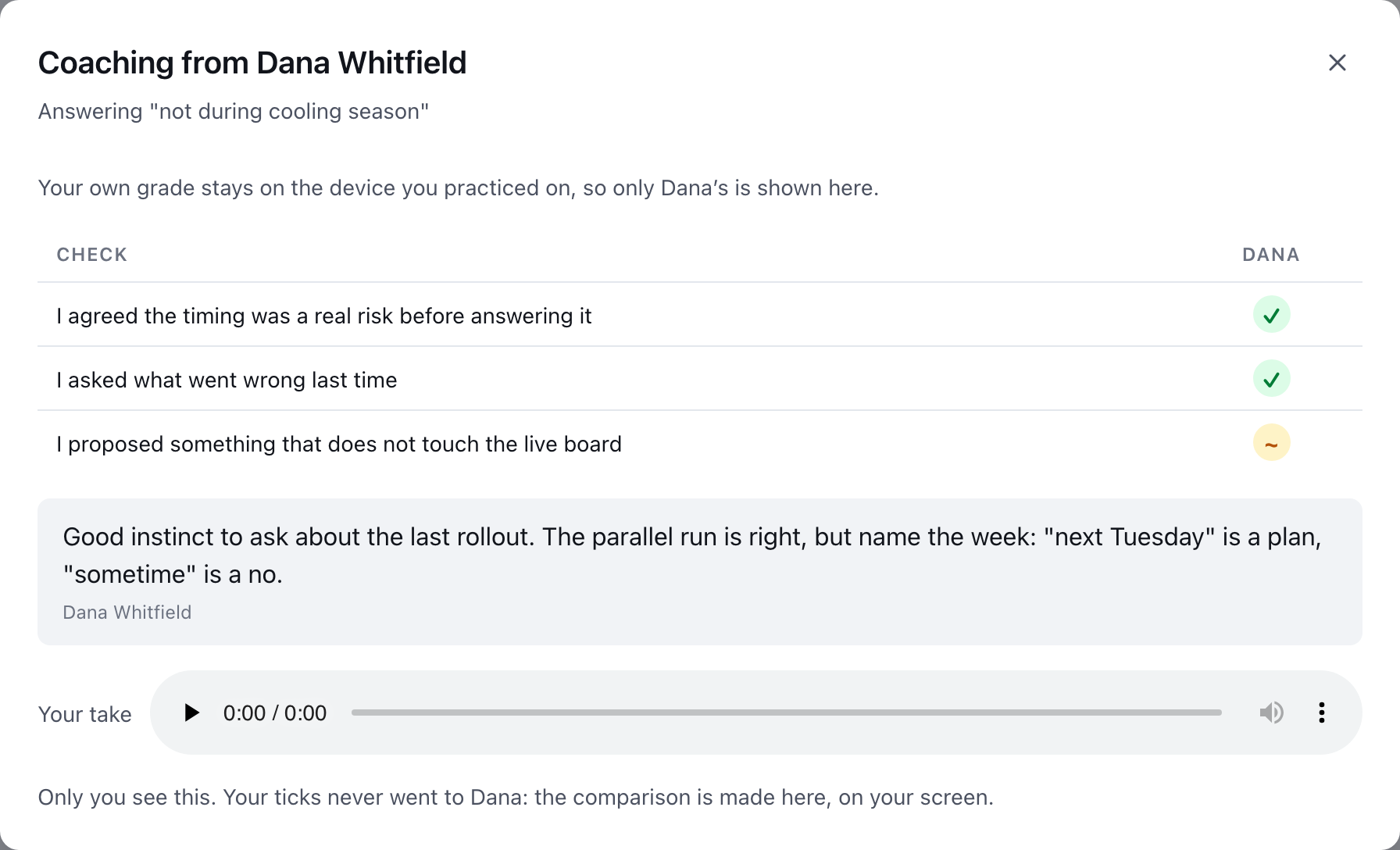
The coaching opens as Coaching from …, with:
- The coach's mark on every check (Heard it, Partly or Missed), beside your own if you are on the device you practiced on, with the differences called out in plain words.
- The coach's note.
- Your take, to play again while the recording is still kept.
Only you see this. If you open it on a different device, only the coach's grade shows, because your ticks never left the device you practiced on.
Is a certification take the same thing?
Nearly. On a path that asks for a recorded roleplay, that play's button on Review reads Send for certification instead. The manager also decides whether the take meets the standard, and the recording is kept while your sign-off is pending and while your certificate is valid. See How do I get certified on a path?.
This did not answer your question? Email hello@bridgercreative.com.