How do I grade my own practice, and who sees it?
On Review you tick the checks you actually said and decide Keeper or Not yet. Only you see it — your checks never leave the screen, not to managers, not to a coach.
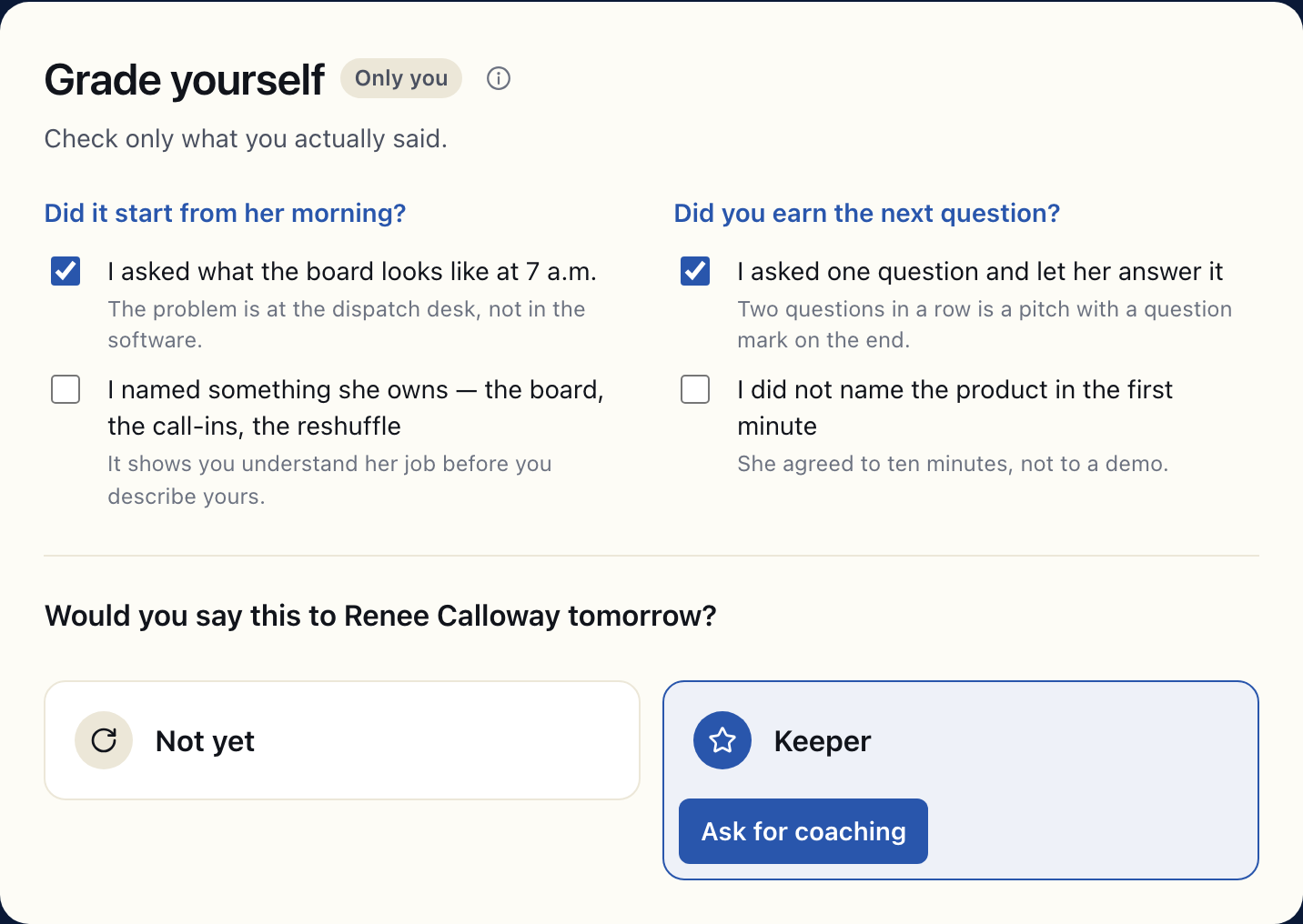
On a play's Review step, under Grade yourself, you tick each check you actually said, then answer Would you say this to … tomorrow? with Not yet or Keeper. Only you see any of it. Your ticks are never sent to Bridger, your managers or a coach, and the Keeper call stays on your own device.
How do I grade myself?
-
Reach Review by clicking I’ve answered. The checks stay hidden until then, so the play does not turn into a memory test.
-
Open The strong answer with Show it to grade against if you want a model to compare with. It is already open if you looked at it while answering.
-
Under Grade yourself, tick each check you actually said. Ticking none is fine; the run still counts.
-
Answer Would you say this to … tomorrow?, with the buyer's name in the question:
- Not yet offers Run it again, a fresh attempt at the same play, and Ask for coaching.
- Keeper marks the take with a star and offers Ask for coaching.
Ask for coaching needs a recorded take of the play; if this run was not recorded, it offers your last take of it from this device.
Neither answer is required. Finish session always works, so you are never stuck looping until you get a Keeper.
Who can see my grade?
Nobody but you. The Only you label next to Grade yourself means exactly that:
| What | Who sees it |
|---|---|
| The checks you ticked | You, on this screen. They are never sent anywhere. |
| Keeper or Not yet | You. If you recorded a take, the call is saved with it on your device; otherwise it is not saved at all. |
| That you ran the play: which play, when, how long, which attempt | Your Learning managers, as practice activity |
| Was this play any good? | The play's content owner, without your name. Not your manager. |
Managers' activity view counts runs, dates and plays. It has no score for anyone, no ranking of reps, and nothing derived from your ticks, because the ticks never reach it.
What happens to my grade when I ask for coaching?
When you send a take for coaching, the coach gets the recording and what you asked for help with, not your grade. They grade it fresh against the same checks.
Your own ticks for that take are kept on the device you practiced on. When the coaching comes back and you open it on that device, you see your grade and the coach's side by side, with the places you disagree called out. On a different device, you see only the coach's grade, because yours never left the first one. See How do I ask a manager for coaching?.
Can I change a grade after I leave Review?
Your ticks are not saved, so there is nothing to change: leave Review and they are gone. To grade the play again, run it again.
The thumbs answer to Was this play any good? is different: it is sent once, when you leave Review, and is read-only after that.
This did not answer your question? Email hello@bridgercreative.com.