Which Sales Academy events send an email or Slack message?
Coaching, certification and the Monday digest send personal email; four events can post to a team channel. Assigning a path sends nothing.
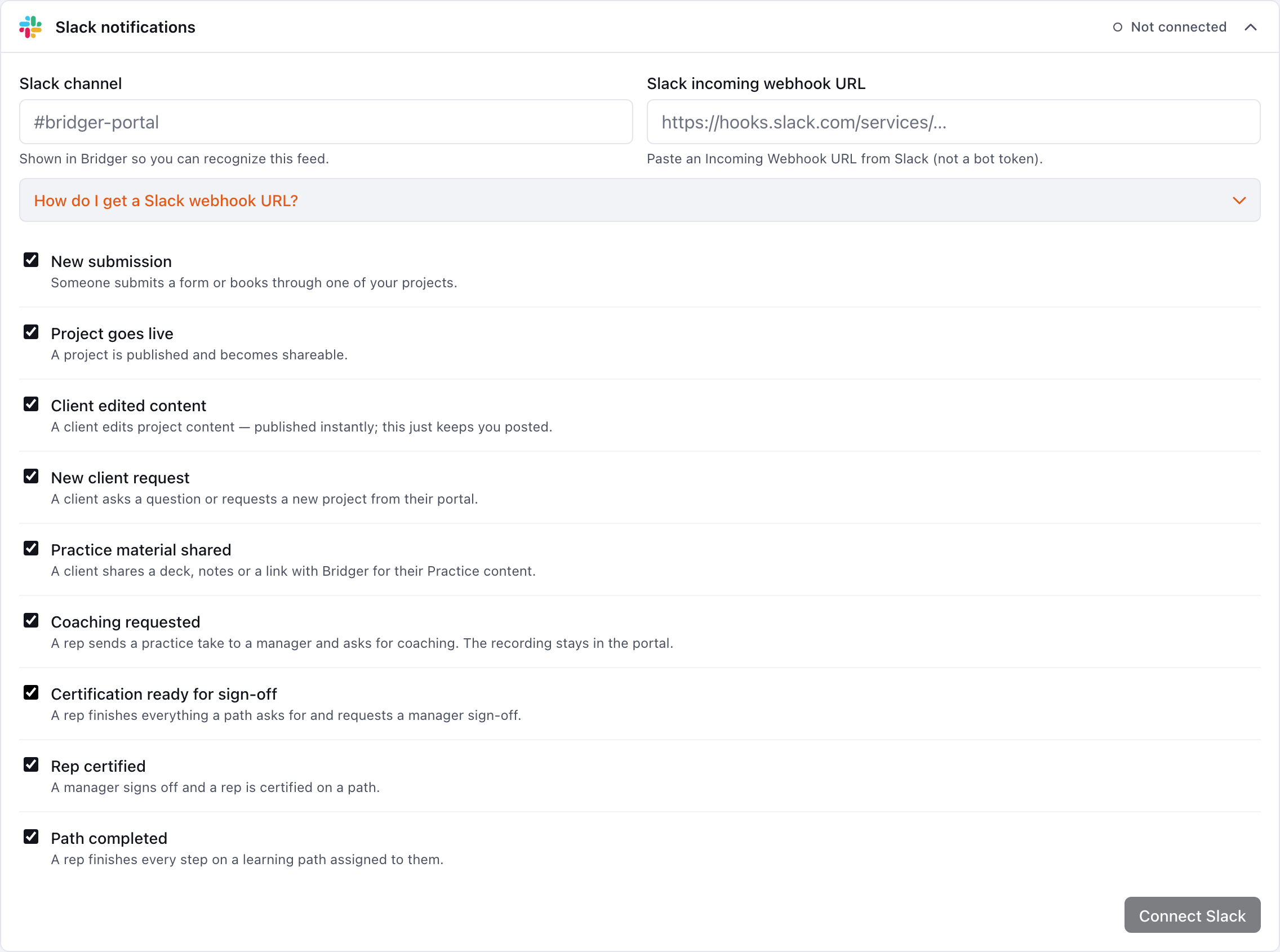
Bridger Sales Academy sends email for five things: a coaching request, coaching coming back, a certification request, a certification decision, and the Monday digest. Separately, it can post four events to your workspace's team channels (Slack or a shared support mailbox): coaching requested, certification ready for sign-off, rep certified, and path completed. Assigning a path sends nothing, to anyone, on any channel. Nothing in Sales Academy appears in the bell.
Every event, who gets it, and what controls it
| Event | Who gets it | Channel | Controlled by |
|---|---|---|---|
| A rep asks you for coaching | The Learning manager they asked | That manager's Practice coaching switch | |
| You send coaching back | The rep | The rep's Practice coaching switch | |
| A rep requests certification sign-off | The path's Who reps ask person if they are a Learning manager, otherwise every Learning manager | Each recipient's Practice coaching switch | |
| A certification is approved or sent back | The rep | The rep's Practice coaching switch | |
| Monday digest | Every Learning manager, in a workspace with at least one published play | Email, Mondays | Each manager's Monday practice digest switch |
| Coaching requested (including a certification take) | Your team channel | Slack or shared support mailbox | Coaching requested, under the channel's Notify when… |
| Certification ready for sign-off | Your team channel | Slack or shared support mailbox | Certification ready for sign-off |
| Rep certified | Your team channel | Slack or shared support mailbox | Rep certified |
| Path completed | Your team channel | Slack or shared support mailbox | Path completed |
Both personal switches are in Settings → My profile and are on by default. Practice coaching shows for anyone in a workspace with Sales Academy on; Monday practice digest shows only for Learning managers. Team channels are set up by Workspace owners and Editors on the Connectors tab. See Notification settings.
What sends nothing?
- Assigning a path, changing who it reaches, or adding someone by hand. Reps find the path the next time they open Learning. Tell them yourself if timing matters.
- Publishing or unpublishing a play.
- A certification sent back, on team channels. The rep is emailed; the channel is not told.
- A rep practicing. Runs show up on Activity and in the Monday digest, but nothing is sent when they happen. Recordings and self-grades stay on the rep's device unless they send a take for coaching.
- The bell. It does not carry any Sales Academy event.
What do team channel messages include?
Names and titles only: the rep, the coach or approver, and the play or path, with a link into the portal. They never include a recording, a grade, what the rep wanted help with, or anyone's note.
Path completed posts once per rep per path, when the rep first finishes every step on a path assigned to them. Unticking and re-ticking the last step, or retaking a checkpoint, does not post it again.
Why didn't I get an email?
Check, in order:
- Your Practice coaching or Monday practice digest switch in Settings → My profile.
- That you are a Learning manager. An owner or Editor who stepped down is not asked for coaching or sign-off and is not sent the digest. See Who can manage Sales Academy.
- For a certification request: whether the path names someone under Who reps ask. If it does, only that person is emailed.
- For the digest: whether the workspace has at least one published play.
If all of that looks right, see I didn't get my sign-in code for checks on email delivery in general.
Related
- How do I review a rep's coaching request?
- How do I approve or send back a certification?
- How do I see how my team is practicing?
This did not answer your question? Email hello@bridgercreative.com.