Finding your way around your workspace
Home, Library, Insights, Sales Academy and Settings in the sidebar, plus Get Help and the notification bell. On a phone they move to a bottom bar.
Your workspace has up to five places in the sidebar — Home, Library, Insights, Sales Academy and Settings — with a Get Help button and your account menu at the bottom and a notification bell at the top. The sidebar is the same on every page.
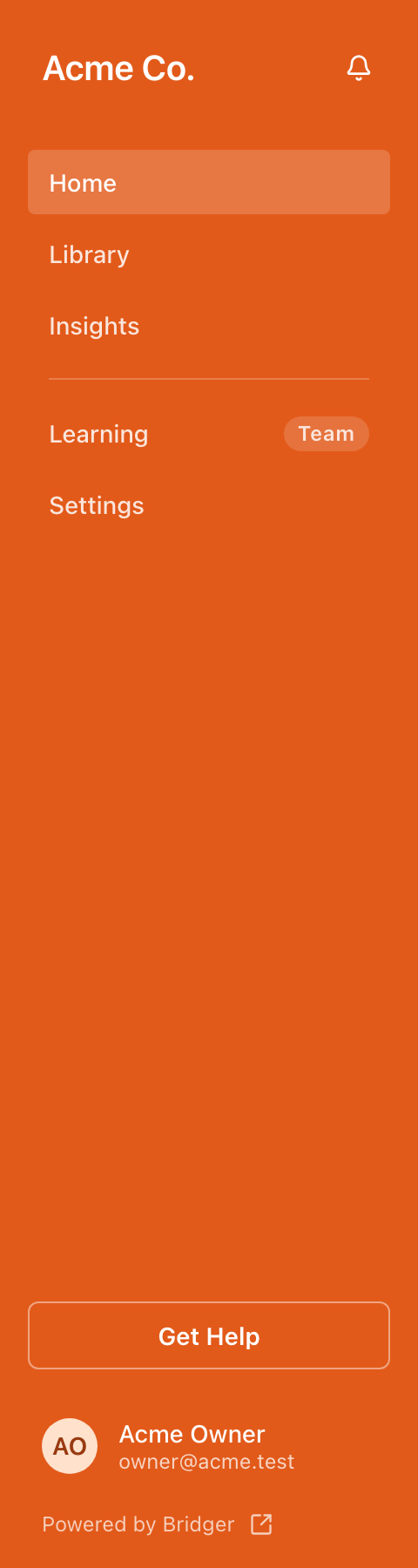
What is in each section?
| Section | What you find there |
|---|---|
| Home | A welcome, your featured presentations under How your work is landing, a getting-started checklist while there is something left to do, Bookmark your workspace, Need something new?, your lifetime visitor count and recent visitors. With Sales Academy on, a manager also sees what needs them first (where the launch stands or drafts to publish, coaching asks, the latest visit) and Team readiness; a rep sees their next play under Up next, what their coach last said, and My ramp. |
| Prepare | Bridger Sales Academy: Practice, Paths (My paths for a rep), Content and Activity (My activity for a rep). While your launch is under way a manager also sees Launch kit, with where it stands: how many files are in, Building, or how many plays are ready. Shown only when your workspace has Sales Academy switched on and you have Sales Academy access. |
| Library | Under Sell, with Insights. Every presentation in your workspace — published ones for everyone, plus ones not yet live for Workspace owners and Editors. Sort by Manual order, Recently created, Name (A–Z), Most visitors or Most leads. |
| Insights | Who opened your presentations, when, for how long, and what they submitted. See What do the Insights numbers count? |
| Settings | Your profile and email preferences for everyone; the team and shared channels for Workspace owners and Editors. |
A dot on Insights means a new result — a form or quiz someone submitted — that you have not opened yet.
What does the Prepare section show me?
Prepare is Sales Academy. It appears in the sidebar only when your workspace has Sales Academy switched on and you have Sales Academy access. That access depends on your Sales Academy setup, not on your workspace role:
- A Sales Academy manager sees Practice, Paths, Content and Activity, and Launch kit until the first plays are published. Content shows how many plays are waiting for review. Coaching requests wait at the top of Activity.
- A rep with a rep seat sees Practice, My paths, Content and My activity: their plays, their paths, everything the team has published, and their own runs with what their coach said. A dot on My activity means a coaching reply they have not opened.
- Someone with neither doesn't see Prepare in the sidebar at all. See I can't see Sales Academy.
How the two Sales Academy layers work is in Sales Academy managers and rep seats.
What are Get Help and the bell for?
Get Help opens a short menu: Browse the help center, Ask a question or Request a new project. See How do I contact the Bridger team?
The bell is your workspace's activity feed: new results, presentations going live, and tracked links getting engagement. It is always on; when there is nothing new it says You're all caught up. See How do I change which emails I get?
Where is my account menu?
Choose your name at the bottom of the sidebar. The menu holds Settings, Switch workspace if you belong to more than one, and Sign out. See How do I switch between workspaces?
How does it look on a phone?
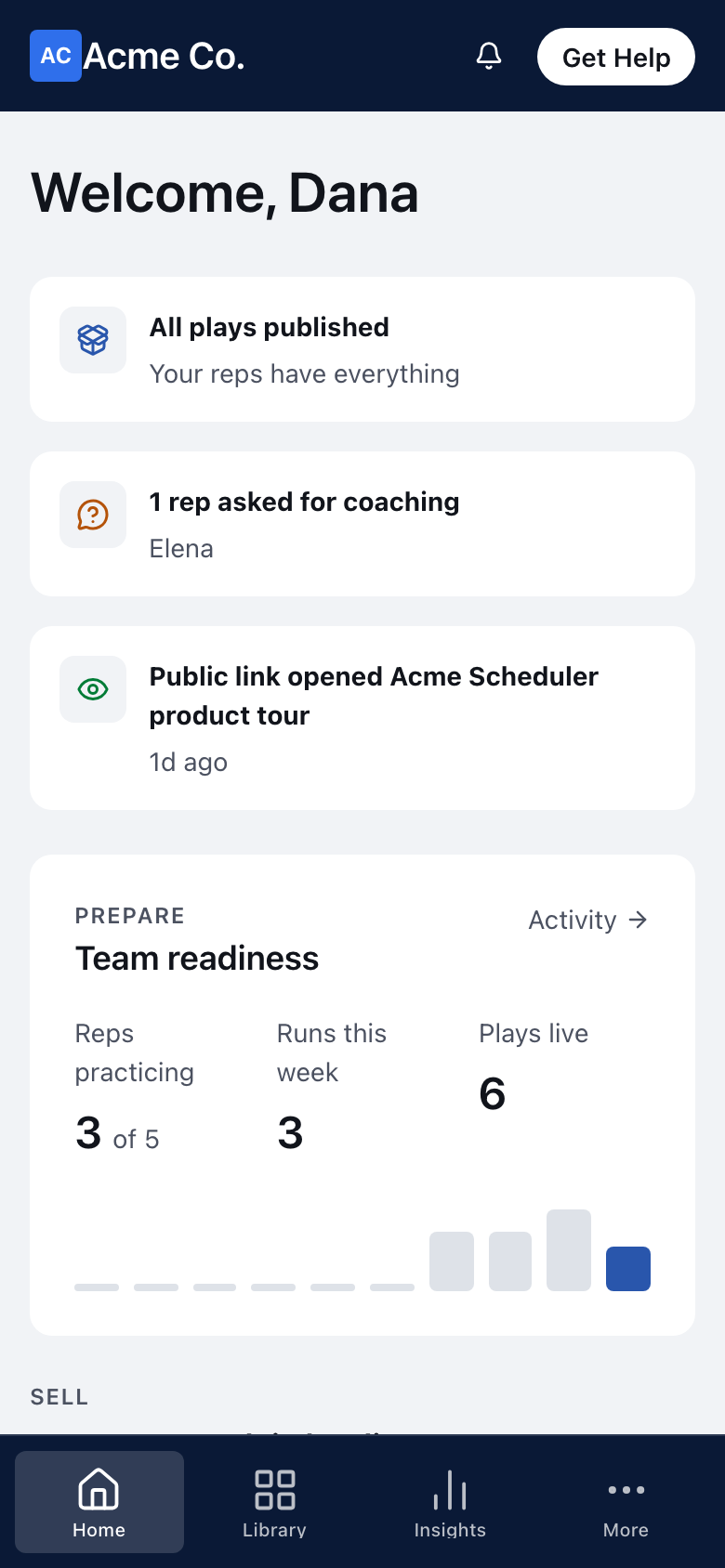
On a phone the sidebar is replaced by two bars:
- At the top: your company's logo, the bell and Get Help.
- At the bottom: tabs for Home, Library, Insights and Settings. When Sales Academy is in your sidebar there are five places, so the fourth tab becomes More, which holds Sales Academy and Settings.
The phone layout has no account menu. Sign out is at the bottom of Settings.
This did not answer your question? Email hello@bridgercreative.com.