How do I contact the Bridger team or request a new project?
Choose Get Help in your workspace, then Ask a question or Request a new project. The Bridger team replies by email.
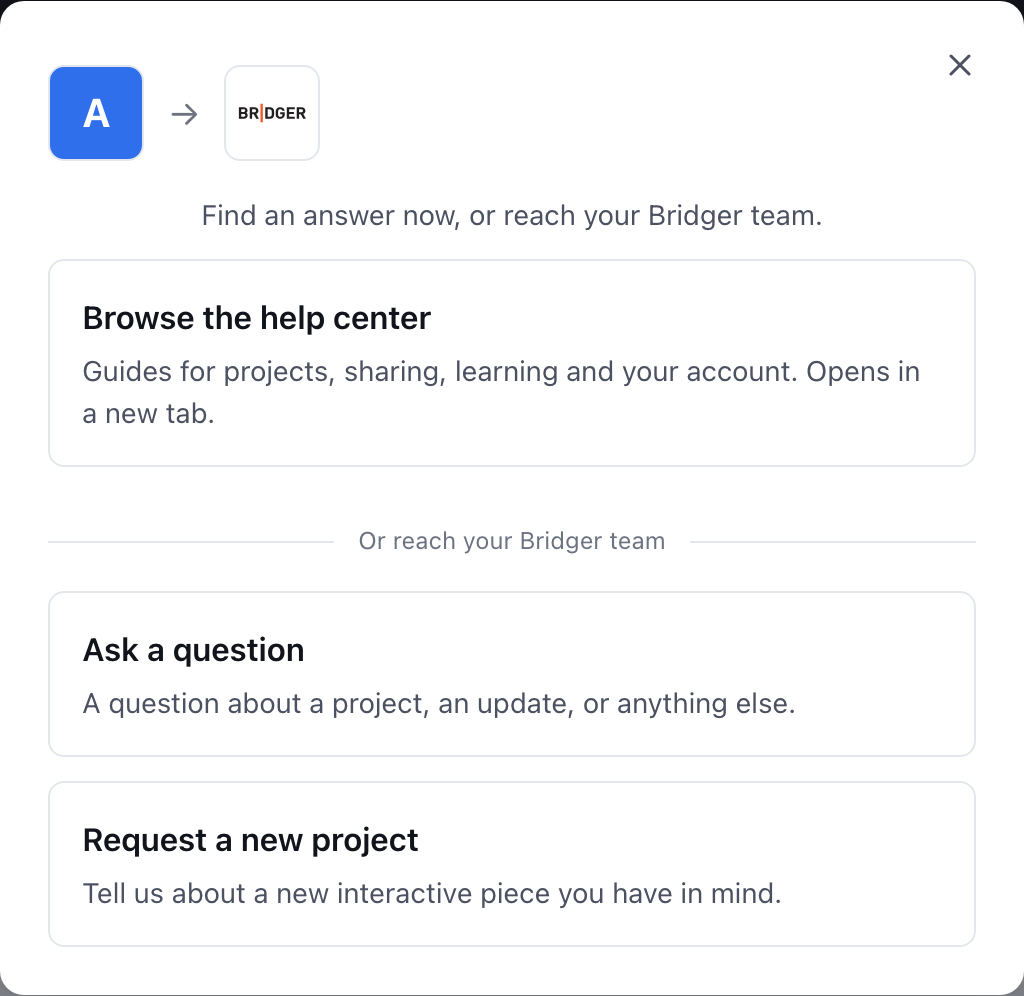
To reach the Bridger team, choose Get Help — at the bottom of the sidebar, or at the top of the screen on a phone — then Ask a question or Request a new project. Write your message and choose Send. The Bridger team replies by email.
How do I ask a question?
- Choose Get Help.
- Choose Ask a question.
- Under How can we help?, describe what you need — a question about a presentation, an update you want, or anything else.
- Choose Send.
When it has gone through you see Thanks — your message is on its way. and The Bridger team will be in touch by email.
How do I request a new presentation?
- Choose Get Help, then Request a new project. On Home, the Request a new project button in Need something new? goes straight here.
- Fill in What do you want? — a short description of the interactive piece you have in mind.
- Fill in What's the goal? — what it should achieve and who it is for.
- Optionally add a Reference link to anything that helps picture it.
- Choose Send.
Where can I find an answer without waiting?
The first option in Get Help is Browse the help center, which opens these articles in a new tab so you do not lose your place in the workspace.
Where do I see my past requests?
Nowhere in the portal: requests are not listed in your workspace. The reply comes to your email, so keep an eye on your inbox. Sending the same message twice in quick succession only sends it once.
If your workspace has a Slack or shared-mailbox channel listening for New client request, your team gets a copy there too. See How do I change which emails I get?
Who can use Get Help?
Everyone in the workspace, whatever their role. The Bridger team sees your name and which workspace you wrote from, so you do not need to say who you are.
How do I ask about CRM connections or branded links?
In Settings → Connectors (Workspace owners and Editors), the CRM tile's Request this → and the Branded links tile's Ask about this → open the same window with a form for that request. In the share window, Want these links on your own domain? Ask about branded links. does the same.
Can I just email you?
Yes. Email hello@bridgercreative.com. Get Help is quicker for anything about your workspace, because it tells the team which workspace you mean.
This did not answer your question? Email hello@bridgercreative.com.