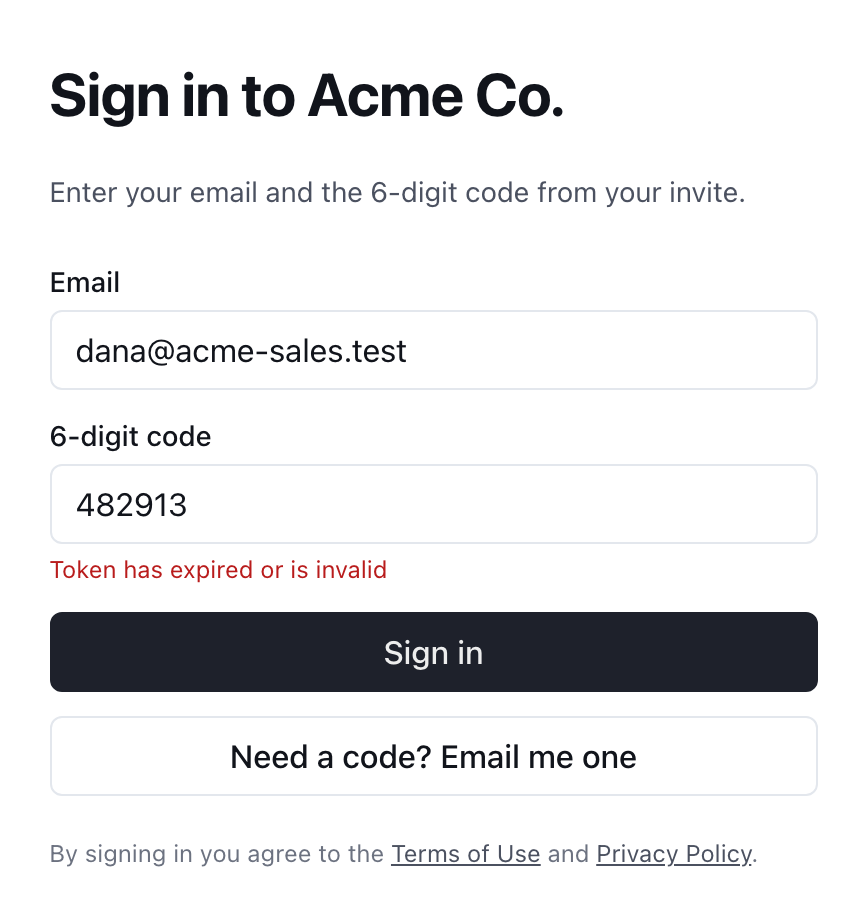
My sign-in code says it's invalid or expired
A code lasts one hour, works once, and is replaced by any newer code. Send yourself a fresh one and use only the newest email.
Usually a newer code has replaced the one you're typing, or the hour has run out. Send yourself a fresh code, then type the code from the newest email only.
How long does a sign-in code last?
Every code follows three rules:
- It lasts one hour. After that it's refused, even if you've never used it. This includes the code in your invite email.
- It works once. After you've signed in with it, that code is spent.
- A newer code replaces it. Each time a code is sent to your address, every earlier code for that address stops working. That includes a code someone else sent for you, such as a teammate resending your invite.
What should I check, in order?
- Use the newest email. If you asked for a code more than once, or someone resent your invite, older emails are dead. Sort your inbox by date and use the latest Your sign-in code or invite email.
- Check the address. If the code step asks for your email, it must be the same address the code was sent to.
- Retype the code. It's six digits. The box only accepts numbers, so pasting text with spaces or letters around the code can leave you with the wrong six digits.
- Send a fresh code. Choose Use a different email (or Need a code? Email me one), type your address and choose Send code. Type the new code within the hour.
Can I use the code on a different device or browser?
Yes. A code isn't tied to the browser that asked for it. You can request it on your laptop and type it on your phone, or the other way around. What matters is that the email address and the code match, and that it's the newest code.
I clicked something in the email and it said the link expired
Bridger's sign-in emails carry a code, not a sign-in link. If you landed on a page saying That sign-in link expired or That sign-in link wasn't valid, the page already shows you the way forward: type your email to get a new code.
That message is common on company email. Some mail security systems open links in an incoming message to scan them, which can use up a one-time sign-in before you read it. Typing the code avoids that.
Less likely causes
| What you notice | What it means |
|---|---|
| The code works, then you see Your account isn't connected to a workspace right now | Your code was fine. You no longer belong to any workspace, so ask your Workspace owner or Bridger contact to restore your access. |
| You never received any code to type | That's a different problem. See I didn't get my sign-in code. |
This did not answer your question? Email hello@bridgercreative.com.