How do I send my launch kit?
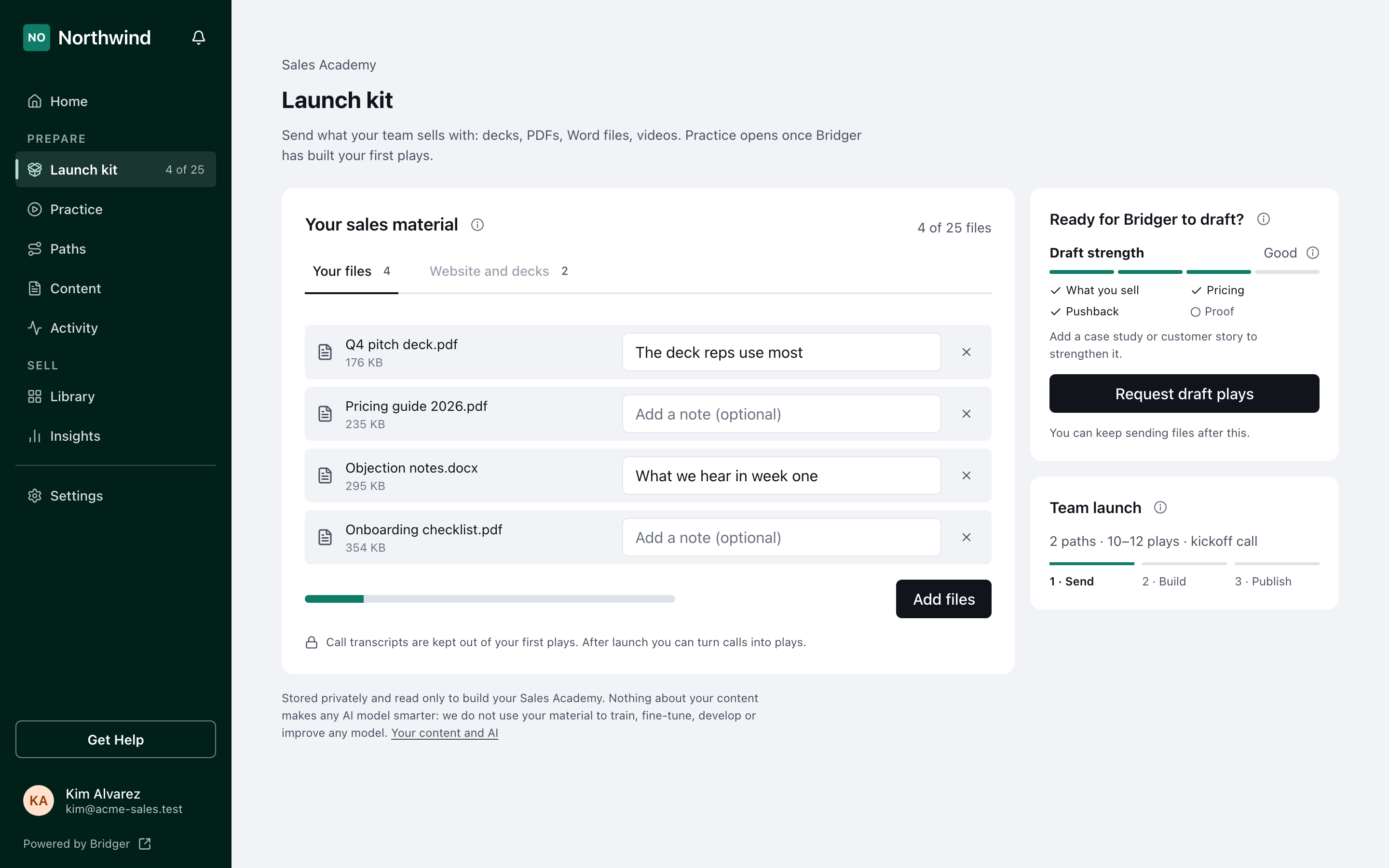
Open Launch kit in your sidebar, add up to 25 files with a note on each, check Website and decks, then press Request draft plays. Bridger drafts your first plays and you publish them.
Your launch kit is what your team already sells with, sent to Bridger so we can draft your first plays. Open Launch kit in the sidebar, under Prepare. Add up to 25 files, with a note on any that need one, check the Website and decks tab, then press Request draft plays. Bridger drafts your plays and checks every one, and they come back to you to edit and publish. Your reps see nothing until you publish.
Who can send the launch kit?
Workspace owners and Editors who manage Sales Academy, and Bridger. Launch kit shows in their sidebar while your launch is under way. Reps never see it.
What should I send?
Decks, PDFs, Word files, videos, call recordings, transcripts and screenshots, up to 50 MB each and 25 files in all. Start with the deck your reps use most. Add a note to a file to say what it is for; notes save when you click out of them.
A file that looks like a sales call transcript is kept out of your first plays, because it names your buyers. The page says so on the file, and you can remove it.
What is Website and decks?
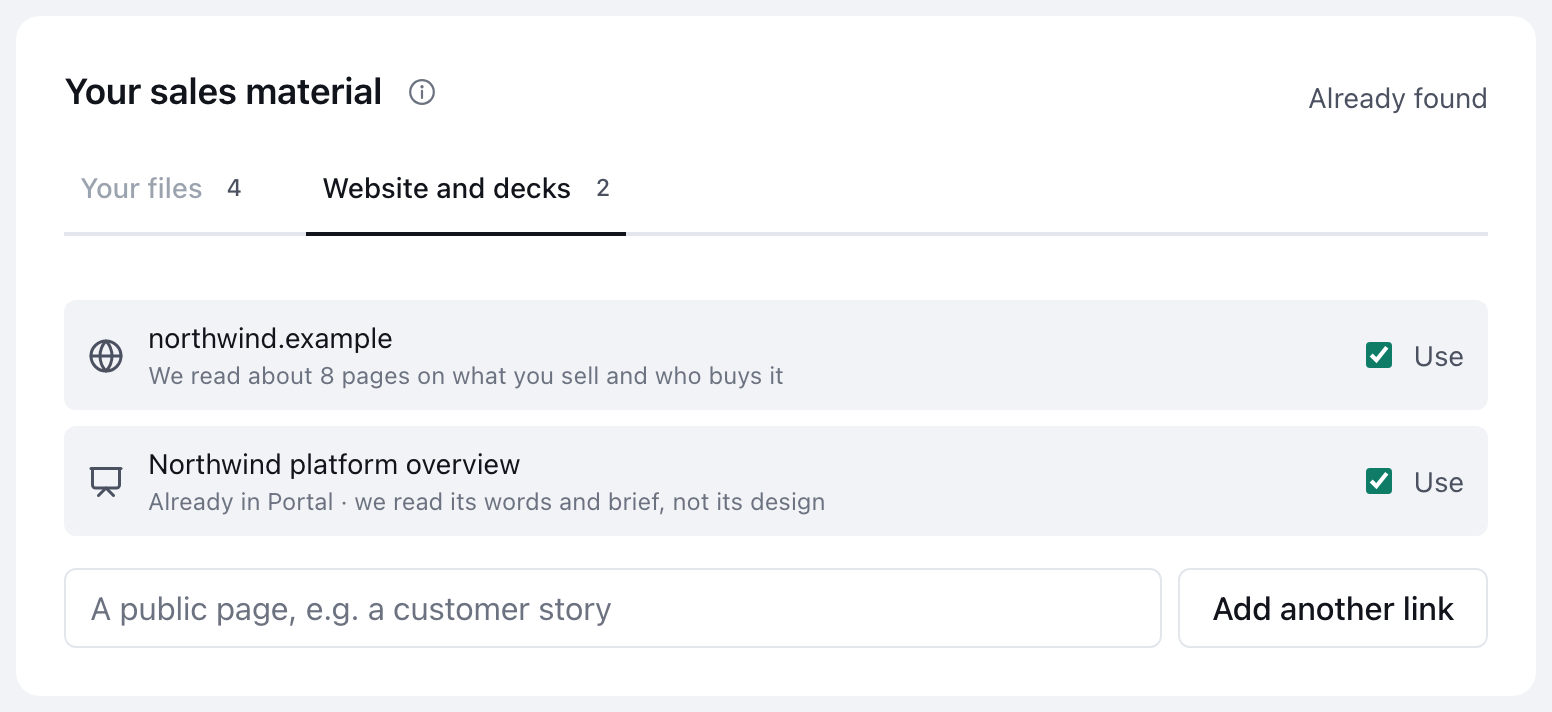
The second tab of Your sales material lists what Bridger can already draft from: your website, and the presentations published in your Library. They are ticked already. Untick anything we should not draft from, or add a public page with Add another link. Nothing on this tab is shown to your reps.
What does Draft strength mean?
It shows how much of what a first draft needs your material covers: What you sell, Pricing, Pushback and Proof. One or none covered reads Enough to start, two or three Good, all four Strong, and a line under it names the first thing missing. It reads each file's name and the start of its text, and your notes. Your website or a ticked presentation counts for What you sell.
Draft strength never stops you. You can press Request draft plays at any point after your first file arrives.
What happens after I press Request draft plays?
- The Launch kit item in your sidebar changes from the file count to Building, and the Team launch tile moves to 2 · Build.
- When Bridger releases your drafts, the item shows how many are ready, for example 11 ready, and Content shows them to review.
- You edit and publish the plays you want. Your reps practice what you publish. Once your first play is published, Launch kit leaves the sidebar.
You can keep sending files after you press the button. Anything new goes to Bridger for more plays. After launch, the same page is Send material to Bridger, reached from Content: choose New → Ask Bridger for plays.
This did not answer your question? Email hello@bridgercreative.com.